Hermes Gateway Console — SQL Command Reference
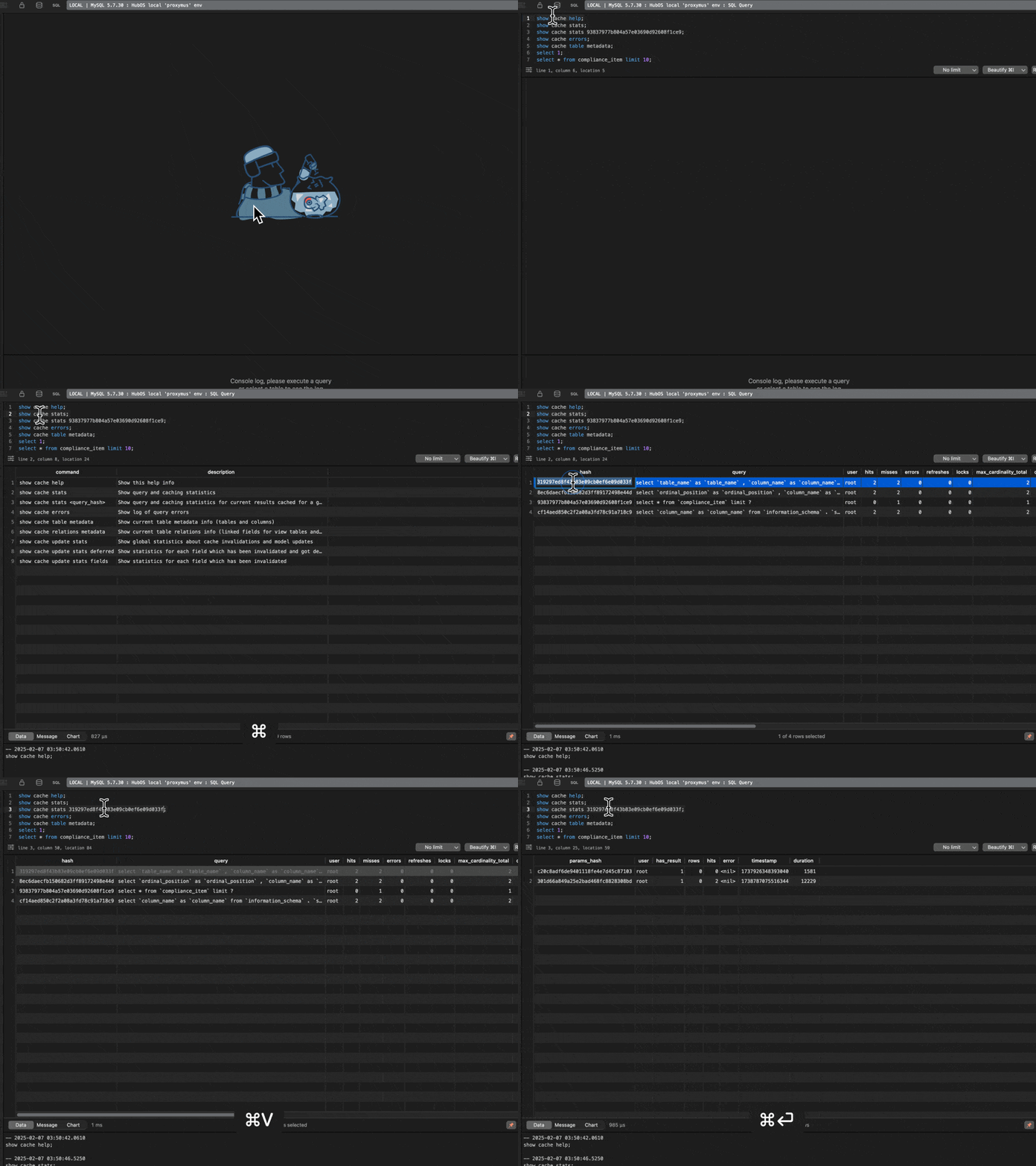
Hermes Gateway exposes a built-in command console accessible via any standard MySQL SQL client. Console commands let you inspect query cache statistics, view error logs, and explore table metadata in real time.
Connecting to the Console
Connect to Hermes Gateway as you would to any MySQL server:
For more connection options, see the Access Guide.
Console Commands
show cache help
Display the full list of available Hermes Gateway console commands.
show cache stats
Show aggregate query and cache statistics — hit rates, miss rates, and overall cache performance across all queries.
show cache stats <query_hash>
Show detailed cache statistics for a specific query, identified by its SHA-1 hash. Use show cache stats first to find the hash for a given query.
show cache errors
Display the log of query errors captured by Hermes Gateway.
show cache table metadata
Show current table metadata — tables and columns known to the proxy — used for cache invalidation and query analysis.
show cache relations metadata
Show table relation metadata, including linked fields for view tables and related fields in foreign tables.
show cache update stats
Show global statistics about cache invalidations and model updates since last restart.
show cache update stats deferred
Show per-field statistics for cache invalidations that were deferred due to rate throttling.
show cache update stats fields
Show per-field statistics for all cache invalidations that have occurred.