Hermes Gateway (v: v0.1.8)
The power of HAProxy and Nginx, for your data.
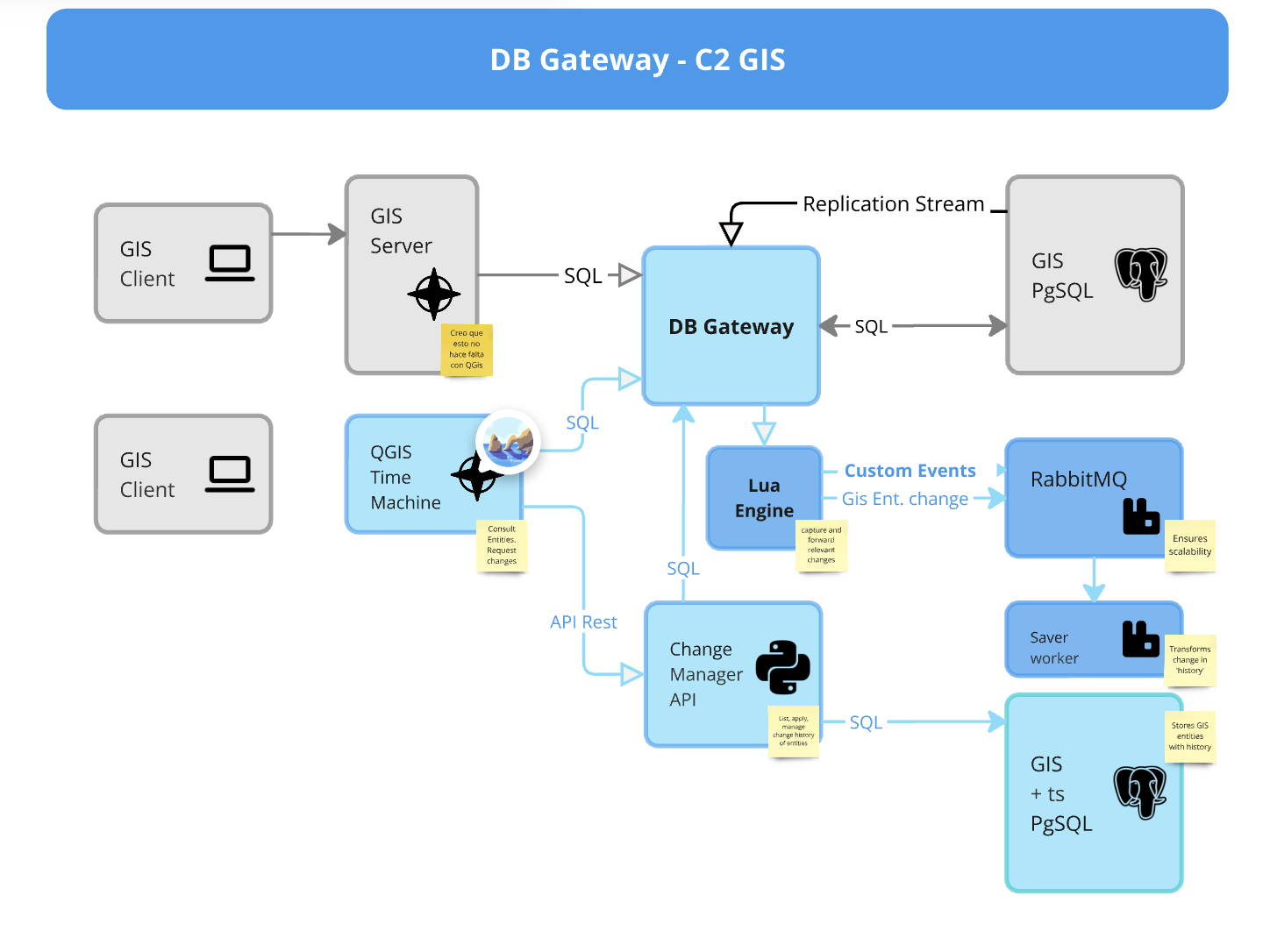
Hermes Gateway is an enterprise-grade database gateway that intercepts MySQL traffic, enabling real-time data manipulation, performance optimization, and comprehensive observability.
-
:material-server: For Operators
-
:material-developer-board: For Developers
Business Value
Hermes Gateway delivers significant business value through:
- Reduced Database Costs: Up to 40% reduction in database infrastructure costs through query caching and optimization
- Accelerated Development: Integrate legacy systems and modern applications without database modifications
- Enhanced Security: Comprehensive access controls and audit trails protect sensitive data
- Improved Performance: Immediate performance gains through query caching, sharding, and read/write splitting
- Real-time Insights: Turn database operations into actionable events for business intelligence
Key Use Cases
Optimize Database Performance
Remediate performance bottlenecks immediately with:
- Query caching: Store and serve frequent query results
- Intelligent sharding: Distribute data across multiple databases
- Read/write splitting: Route queries to appropriate database instances
Comprehensive Observability
Gain complete visibility into your database operations:
- Advanced query logging: Track every database interaction
- Performance metrics: Identify resource-intensive queries automatically
- Prometheus & OpenTelemetry integration: Monitor in your existing tools
Real-time Data Transformation
Keep systems synchronized with no code changes:
- Data manipulation: Modify query results on-the-fly
- Custom data sinks: Forward data to specialized storage systems
- Event generation: Convert database changes into application events
Getting Started
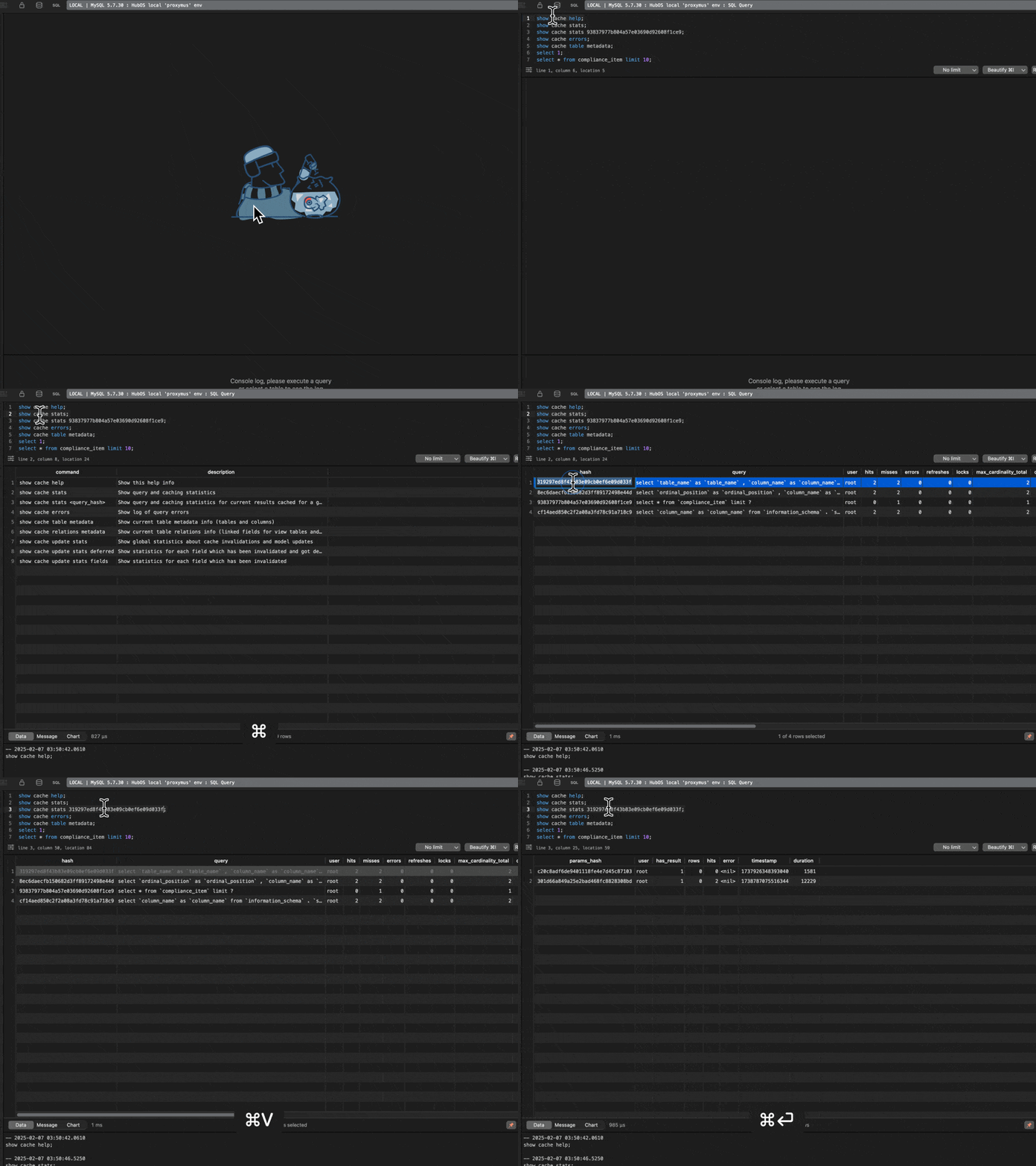
The quickest way to experience Hermes Gateway is with our Docker-based quickstart:
git clone https://gitlab.k8s.appns.cloud/dfernandez/db-gateway.git hermes-gateway
cd hermes-gateway/deployments  # enter the folder that contains compose files
docker-compose -f docker-compose.proxy-dev.yml up -d
Documentation Roadmaps
For Operators
- Installation Guide
- Configuration Reference
- Access Control
- Console Management
- Monitoring & Metrics
- Troubleshooting